Let breath shape the volume
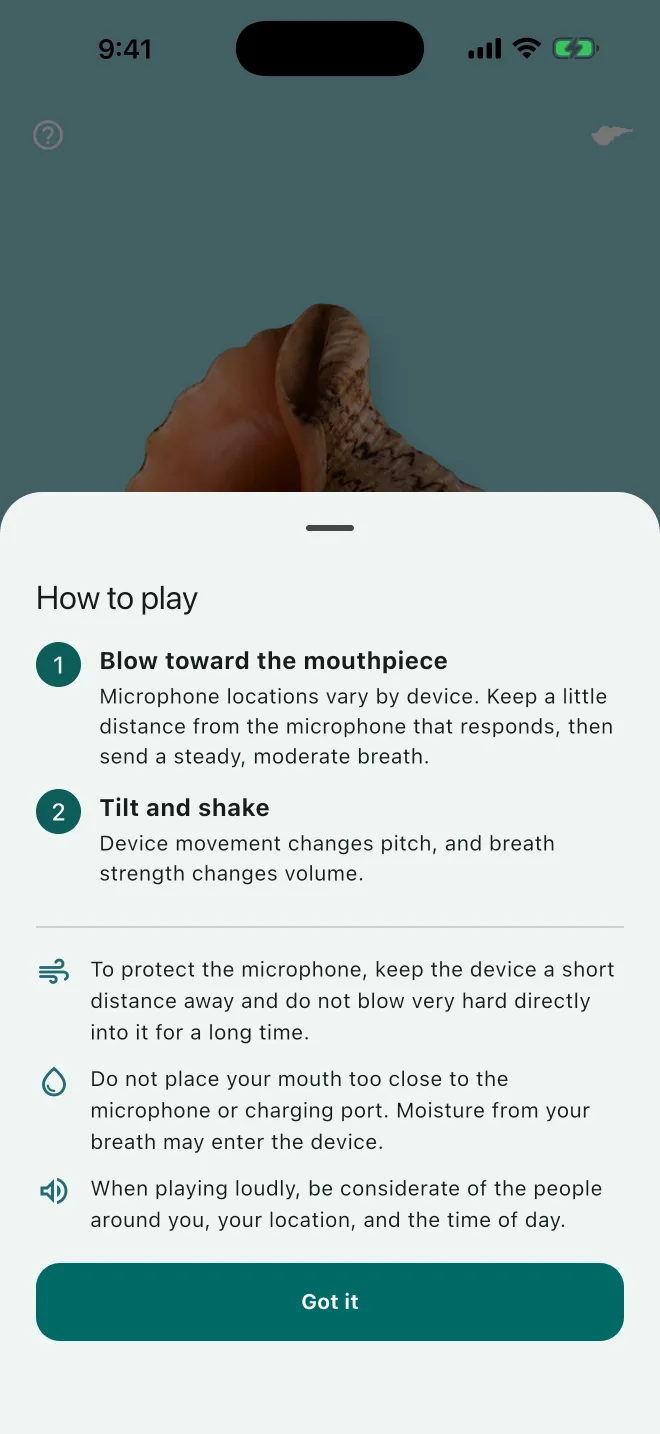
Point the mouthpiece toward a responding microphone and send a steady, moderate breath. Breath strength changes the volume.
A playful Japanese conch horn for iPhone and iPad
Blow well, make a good sound.
Send a steady breath toward your device's microphone, then tilt or shake your phone to explore pitch. Horagai is a small, surprising sound toy for finding a sound of your own.

Free to download · iPhone and iPad · iOS/iPadOS 13 or later

Why Horagai
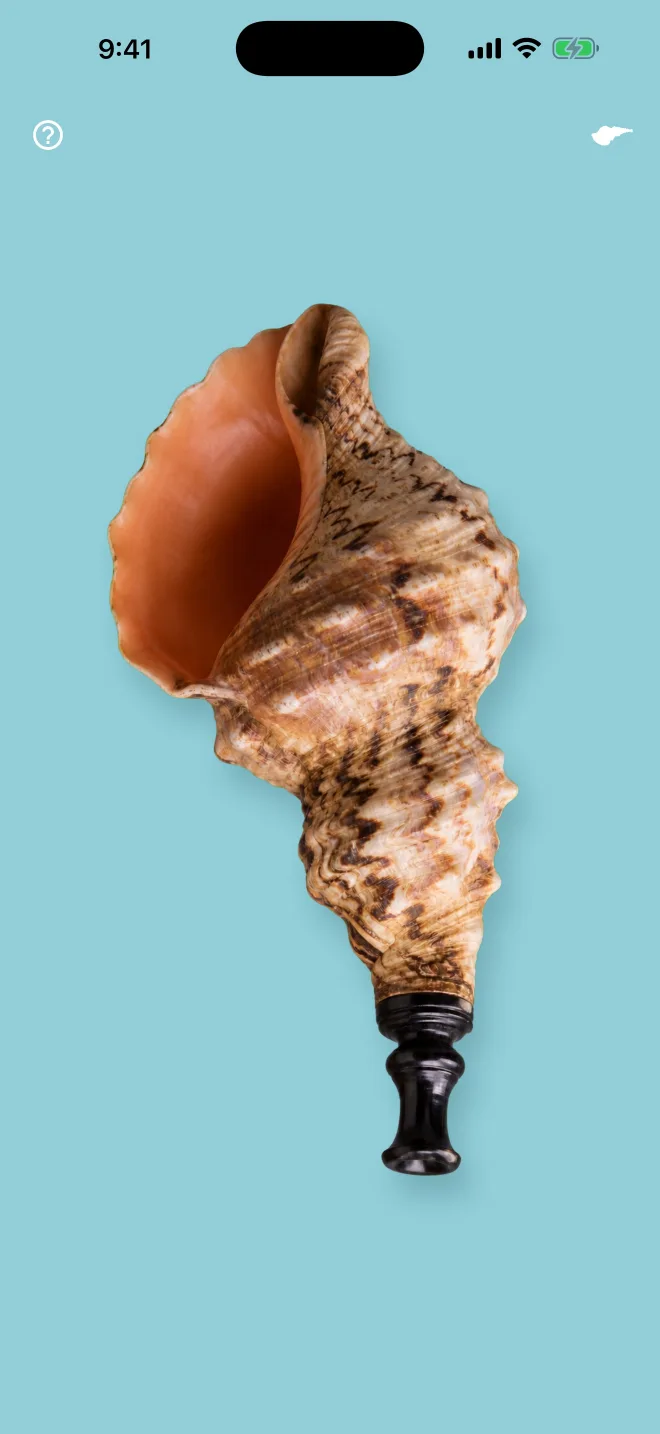
A real horagai takes practice and a physical shell. This app gives you a simple way to try the feeling of making sound with a phone—without promising that every breath will behave the same way.
Point the mouthpiece toward a responding microphone and send a steady, moderate breath. Breath strength changes the volume.
Tilt the device forward or backward to explore lower and higher sounds. A quick, gentle shake adds a short change in pitch.
Drag, resize, and rotate the horagai on screen. Its visual position does not change how the sound responds.
Start in three steps
Play safely: Do not blow excessively hard into your device. Keep breath moisture away from the microphone and charging port by leaving a little distance. Please be considerate of people, places, and times when playing loudly.
Simple pricing
Free to download
Play the core experience without a subscription. The free version shows ads in Settings and while caring for your horagai.
One-time purchase not a subscription
Hide all ads with one non-consumable in-app purchase. The Japan App Store currently lists it at ¥100; your App Store displays the current price for your region.
The store handles payment details and purchase restoration. If you have already purchased Remove Ads, use the same Apple Account to restore it from the app's Settings.
At a glance
Your data
Horagai does not save or transmit raw audio or motion input. Microphone input is converted to breath strength on your device, while tilt and motion are used only as playing controls. The app has no recording, user account, or cloud-storage features.
When ads are enabled, the advertising provider may process information needed for ad delivery, measurement, and fraud prevention. You can read the details, including advertising choices, in the full policy.
Made by one person

Independent developer making small apps that invite you to touch, listen, and try something unexpected.
Follow @horagai_app on XHoragai is an experiment in turning a phone's microphone and motion sensors into a playful musical moment. It is not a replacement for a physical shell or formal instrument lessons.
Questions, answered
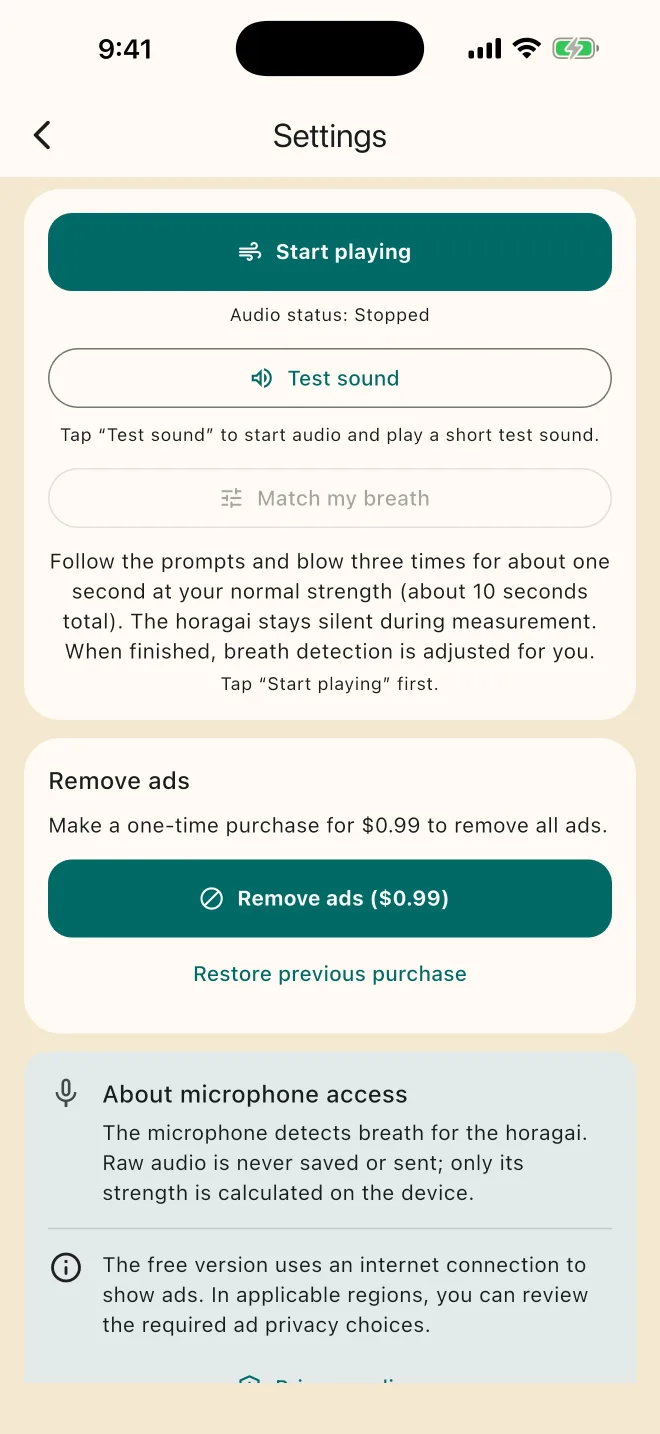
Check that Horagai has permission to use the microphone. After launch, keep the surroundings quiet for about 1.5 seconds while the app checks ambient sound. Confirm the microphone location on your device, keep a little distance, and try a steady, moderate breath rather than blowing hard. You can open Settings from the horagai icon in the upper-right corner and choose “Check sound” to test the speaker.
Open Settings from the horagai icon in the upper-right corner and choose “Match to my breath.” Follow the short on-screen breaths. The horagai stays silent while it measures.
Tilt your device forward or backward while playing. A quick, gentle shake also adds a brief pitch change. The device angle does not change volume.
No. Device microphones, surroundings, breath, and timing all affect the result. The app is designed as a playful sound experiment, not as a promise that every breath will produce a particular note.
Playing itself usually works without a network connection. Ads, purchase status checks, and purchase restoration may need an internet connection.
Not in the current version. Horagai does not provide recording, user accounts, cloud storage, or synchronization.
Open Settings from the horagai icon and choose “Restore previous purchase.” Use the same Apple Account that made the original purchase.
This page currently covers the iPhone and iPad release. An Android download is not listed here.
Need help?
For a problem or request, use the public GitHub contact page. Please do not include your name, email address, purchase details, or other personal information in a public issue.
Open the contact pageWhen useful, include your device model, operating-system version, and what happened. You can also reach the developer on X @horagai_app.
Ready to try?
Download Horagai for free and see what happens when breath, movement, and a phone meet.